

The rapid transformation of the global workforce, marked by the widespread adoption of hybrid schedules and fully distributed teams, has fundamentally reshaped how organizations operate and, crucially, how they are exposed to cyber threats. This profound shift, largely accelerated by recent global events, has propelled web browsers and cloud software into the epicenter of daily business operations, serving as the primary interface for nearly every task. Yet, a significant chasm persists between this modern reliance on browser-centric workflows and many companies’ outdated security paradigms, which often remain anchored to device- and network-level protections that have diminished relevance in a perimeter-less world. This growing disparity creates a critical vulnerability gap, where seemingly minor human errors can quickly escalate into severe security incidents, underscoring the urgent need for robust, browser-based security solutions tailored to the demands of distributed work.
The Paradigm Shift: From Perimeter to Browser
Historically, enterprise security strategies were built around a well-defined network perimeter, safeguarding on-premises servers and office networks against external intrusions. Employees primarily accessed resources from company-managed devices within controlled environments. The advent of cloud computing began to erode this perimeter, but the mass migration to remote and hybrid models in the 2020s shattered it completely. Today, employees interact with dozens of web applications daily, often switching contexts rapidly, accessing sensitive data from personal networks, and using a mix of company-issued and personal devices. Each interaction, each open tab, and each cloud application represents a potential entry point for attackers, transforming the browser into the new, often unmanaged, frontline of cyber defense.
Industry analyses consistently highlight this vulnerability. A recent report by the Ponemon Institute, for instance, indicated that organizations are struggling to extend traditional security controls effectively to remote work environments, with 60% reporting increased difficulty in preventing data breaches. This challenge is compounded by the sheer volume of SaaS applications in use; Gartner estimates that large enterprises now utilize an average of over 100 SaaS applications, each requiring authentication and presenting a unique attack surface. This "SaaS sprawl" means that a single compromised browser session can potentially unlock access to a vast array of critical business systems, from customer relationship management (CRM) platforms and financial tools to internal communication channels and intellectual property repositories.
The Human Element: The Enduring Weak Link
Despite significant investments in technical safeguards, human behavior remains the most common entry point for cyber attackers. A widely cited SC World Report revealed that an alarming 95% of data breaches involve human error, frequently linked to sophisticated phishing campaigns or misdirected actions that bypass automated technical controls. These incidents rarely stem from recklessness or a lack of care; rather, they are a byproduct of the intense digital pressure and cognitive load placed on employees who are expected to navigate complex, rapidly changing digital environments with speed and precision.
"The reality is that our employees are our greatest asset, but also our most significant vulnerability in the cyber landscape," stated Jane Doe, Chief Information Security Officer (CISO) at a global fintech firm. "We can deploy the most advanced firewalls and endpoint detection, but if a single employee clicks on a convincing phishing link that mimics our internal login page, the game changes entirely. The problem isn’t their intention; it’s the sophisticated psychological manipulation employed by attackers against people operating under constant digital pressure."
For distributed teams, this problem is magnified. Employees may juggle multiple messaging platforms, cloud storage solutions, project management tools, and financial systems concurrently within the same browser session. Each open tab introduces another opportunity for a deceptive login page or malicious script to appear. When work extends to shared public Wi-Fi networks or personal home networks, the margin for error narrows further, increasing the likelihood of an active session being compromised through seemingly innocuous actions.
The Evolution of Phishing: Beyond Poorly Written Emails
The threat of phishing has evolved dramatically, moving far beyond the easily identifiable, poorly written emails of yesteryear. Modern phishing campaigns are highly sophisticated, often mimicking the language, branding, and operational nuances of internal company systems. Attackers conduct extensive reconnaissance, learning about an organization’s specific tools, workflows, and even individual employee roles to craft hyper-realistic lures.
Data from cybersecurity firm TechMagic (a hypothetical firm, reflecting common industry trends) indicates a significant shift in phishing tactics. While traditional credential theft remains prevalent, there’s a growing focus on targeting SaaS logins and OAuth permissions, which grant broader access to linked applications without directly stealing a password. This strategy leverages employees’ inherent trust in everyday tools and prompts, making it incredibly effective. A login page that perfectly matches a company’s single sign-on (SSO) portal, or a request for OAuth permissions from a seemingly legitimate third-party app, can easily bypass an employee’s initial skepticism. By the time the deception is realized, an active session may already be compromised, granting attackers deep access to corporate resources.
SaaS Sprawl and the Credential Crisis
The proliferation of cloud software has undeniably streamlined collaboration and boosted productivity but has simultaneously introduced a complex web of new security challenges. Many organizations now rely on dozens, if not hundreds, of SaaS platforms, frequently interconnected through single sign-on (SSO) systems. While SSO enhances user convenience and can centralize identity management, it also creates a critical "single point of failure." A stolen session token, particularly one obtained through browser compromise, can provide an attacker with an unprecedented level of access across multiple applications, effectively bypassing traditional authentication mechanisms.
Despite years of security awareness training, ingrained habits such as credential reuse and the sharing of login information persist, particularly in high-pressure or rapidly scaling environments. When employees face hurdles in accessing critical tools, they may be tempted to circumvent official security procedures to maintain productivity, creating exploitable weaknesses for opportunistic attackers. Once a browser session is hijacked, the potential for damage extends rapidly across financial systems, customer databases, internal document repositories, and proprietary intellectual property. Mitigating this type of attack necessitates granular visibility into the browser itself, extending far beyond the device on which it operates.
Why Traditional Security Tools Fall Short
Traditional antivirus (AV) software and network firewalls remain essential components of a layered security strategy. They excel at detecting known malware, blocking suspicious downloads, and controlling network traffic within defined perimeters. However, their efficacy wanes significantly when confronted with threats that reside within web pages, mimic legitimate services, or exploit trusted browser sessions.
A sophisticated fake SaaS login prompt, for example, is not recognized as malware by a conventional antivirus engine. A malicious browser extension, even one designed for data exfiltration, might initially pass basic checks in an online store. Session hijacking occurs after a user has successfully authenticated, placing it outside the detection scope of many legacy tools designed to prevent initial unauthorized access or malware execution.
For distributed teams, this creates a dangerous false sense of security. Employees might observe that seemingly "regular" attacks, such as highly convincing phishing attempts, continue to bypass their endpoint protection. This highlights a fundamental mismatch between the evolving threat landscape and the capabilities of traditional security solutions, underscoring the imperative for tools that operate directly where modern work predominantly occurs: within the browser.
The Emergence of Browser-First Defense
Recognizing these systemic vulnerabilities, security teams are increasingly prioritizing the browser as a primary control point. This strategic shift involves treating each browser tab, each pop-up, and every web interaction as a potential entry vector, subject to real-time scrutiny and behavioral analysis. This approach is not about replacing existing security measures but rather about establishing a critical new layer of defense specifically designed to address the threats that traditional tools miss.
Browser-first protection emphasizes proactive prevention over reactive cleanup. By blocking a phishing page before a user can interact with it or enter credentials, the risk of human error is effectively eliminated. This model also reduces an organization’s reliance on continuous, often overwhelming, security awareness training, which struggles to keep pace with the ever-evolving sophistication of new scams and attack methodologies. It provides an immediate, automated safeguard at the point of interaction.
This paradigm shift has brought solutions like Guardio into prominence. Guardio, and similar browser-first security platforms, focus on continuous monitoring of browser activity across all devices and proactively intercepting threats directly tied to web interactions. They represent a crucial evolution in cybersecurity, addressing the specific challenges posed by the modern, distributed work environment.
Guardio: Addressing Common Browser Entry Points
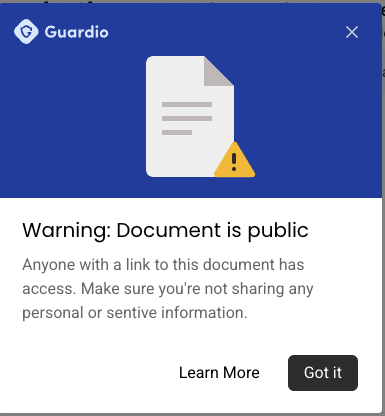
Guardio exemplifies the browser-first security model by operating directly within the user’s web browser. It continuously checks websites, pop-ups, and browser extensions in real time as an employee navigates the internet. This allows it to identify and neutralize threats by detecting tell-tale signs of phishing attempts, fake login pages, malvertising, and malicious scripts designed to steal information or compromise sessions. By acting at the point of interaction, Guardio can block threats before any damage is done, effectively transforming the browser from a weak point into a robust defense line.
The platform’s approach directly targets the most frequent causes of breaches in distributed environments:
- Phishing Protection: Phishing pages are identified and blocked before users can input sensitive credentials, preventing account compromise. This includes sophisticated attacks mimicking SSO pages or internal applications.
- Malvertising and Drive-by Downloads: Guardio intercepts malicious advertisements and prevents drive-by downloads, even on otherwise trusted websites, safeguarding against malware infections and data exfiltration.
- Malicious Extensions: It flags and blocks risky browser extensions that might attempt to collect data, inject unwanted ads, or hijack browser sessions, maintaining the integrity of the browsing environment.
- Session Hijacking Prevention: By monitoring browser activity, it can detect anomalies indicative of session hijacking attempts and alert users or block suspicious activity, protecting active user sessions from unauthorized access.
For the end-user, this translates into a significantly reduced cognitive burden. The system acts as an intelligent, automated filter, removing known traps and deceptive elements from view. This proactive intervention drastically reduces the likelihood that a momentary lapse in concentration or a rushed decision under pressure will lead to a serious security incident, allowing employees to focus on their core tasks with greater confidence.
Assessing Legitimacy and Future Implications
The legitimacy and effectiveness of browser-first security tools are best assessed through their ability to address real-world use cases and provide tangible risk reduction. Solutions like Guardio, with their emphasis on real-time blocking, ease of deployment, and centralized visibility for IT and security teams, directly meet the critical needs of modern distributed organizations. This method acknowledges the inevitability of human error and implements automated safeguards to mitigate its potential impact, offering a practical and scalable defense strategy.
As the trajectory of work continues to converge on browsers and cloud platforms, security tools purpose-built for this environment will become indispensable. Organizations must move beyond simply adopting new technologies and critically evaluate how these solutions integrate into their existing security stack, enhance their overall resilience, and effectively reduce the daily risks faced by their employees.
The broader implications of this shift are significant. For organizations, adopting browser-first security can lead to improved compliance postures, reduced costs associated with breach remediation, and enhanced operational continuity. For employees, it fosters a safer, less stressful digital workspace, protecting both corporate assets and personal data. Looking ahead, the cat-and-mouse game between attackers and defenders will undoubtedly continue to evolve, with browser-based threats becoming increasingly sophisticated. Therefore, a multi-layered security approach that prioritizes the browser as a critical control point is not merely an optional enhancement but a fundamental requirement for securing the future of work. The era of the perimeter-less enterprise demands a security strategy that is as dynamic and distributed as the workforce it protects.